
Export & visualize your AliExpress order history
A secure, feature-rich browser extension to parse, track price history, generate PDF invoices, and sync purchase histories offline or to Google Sheets.
Analytics Dashboard
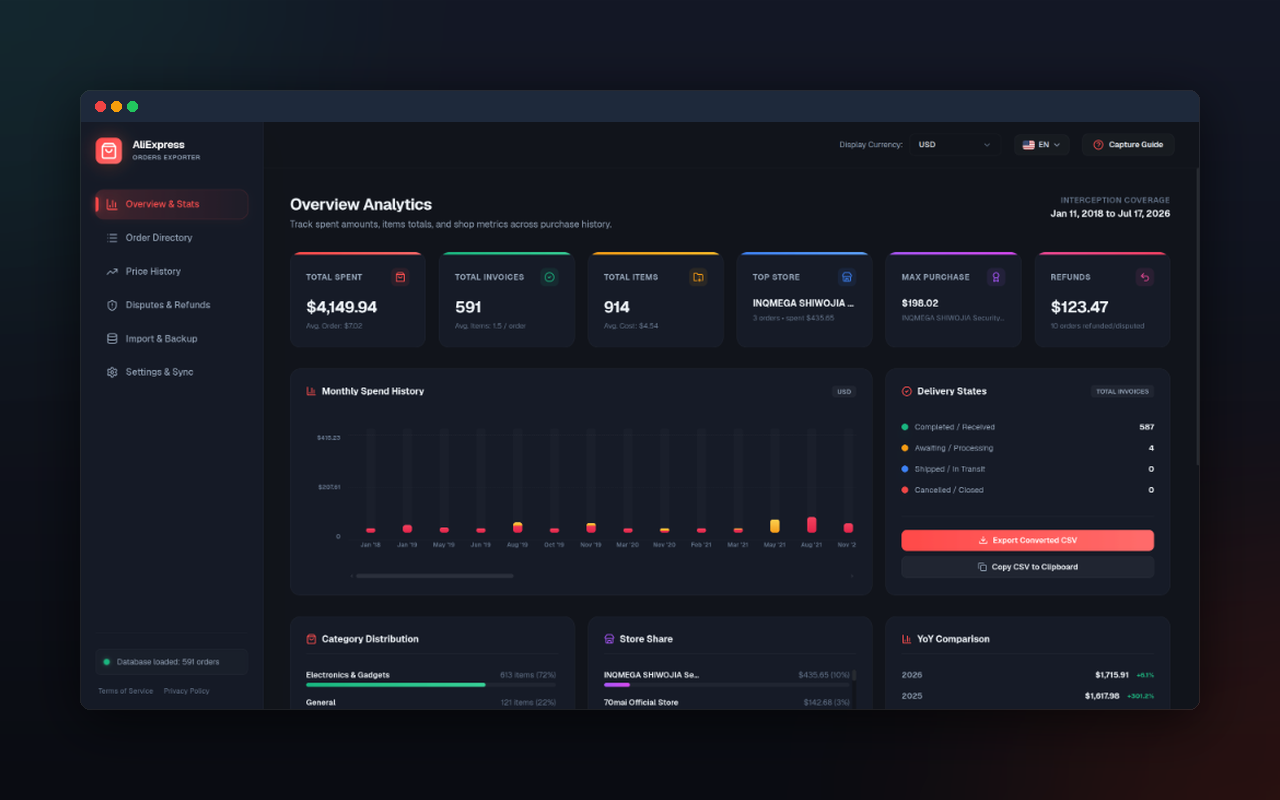
Offline-first overview tracking total spending, average order value, monthly spend trends, and top stores normalized in your preferred display currency.
Powerful tools, built local-first
Everything you need to capture, analyze, track prices, and back up your AliExpress transaction history. No cloud subscriptions or remote databases.
Auto Capture Overlay Widget
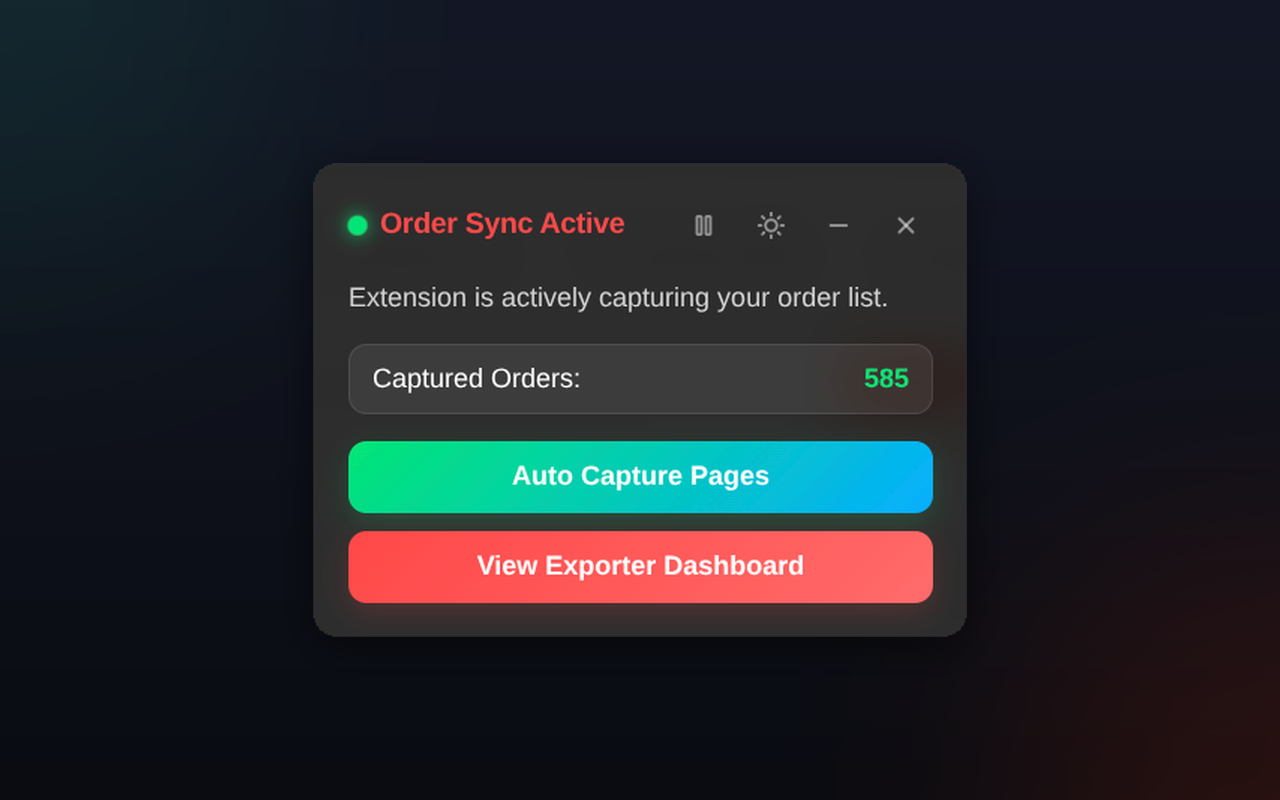
Floating Shadow DOM overlay injected into AliExpress order pages. Displays live capture metrics and features an Auto-Capture toggle to scroll and scan multiple pages automatically.
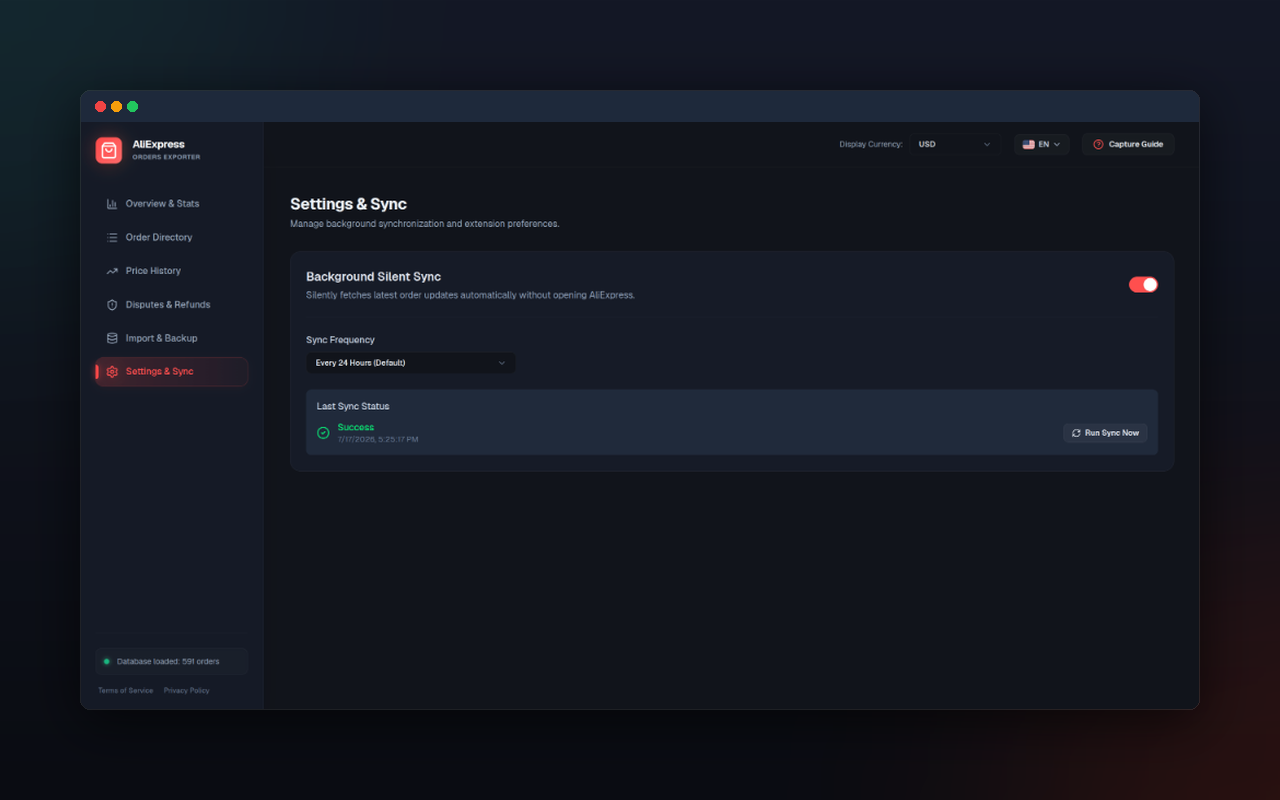
Zero-Click Background Sync
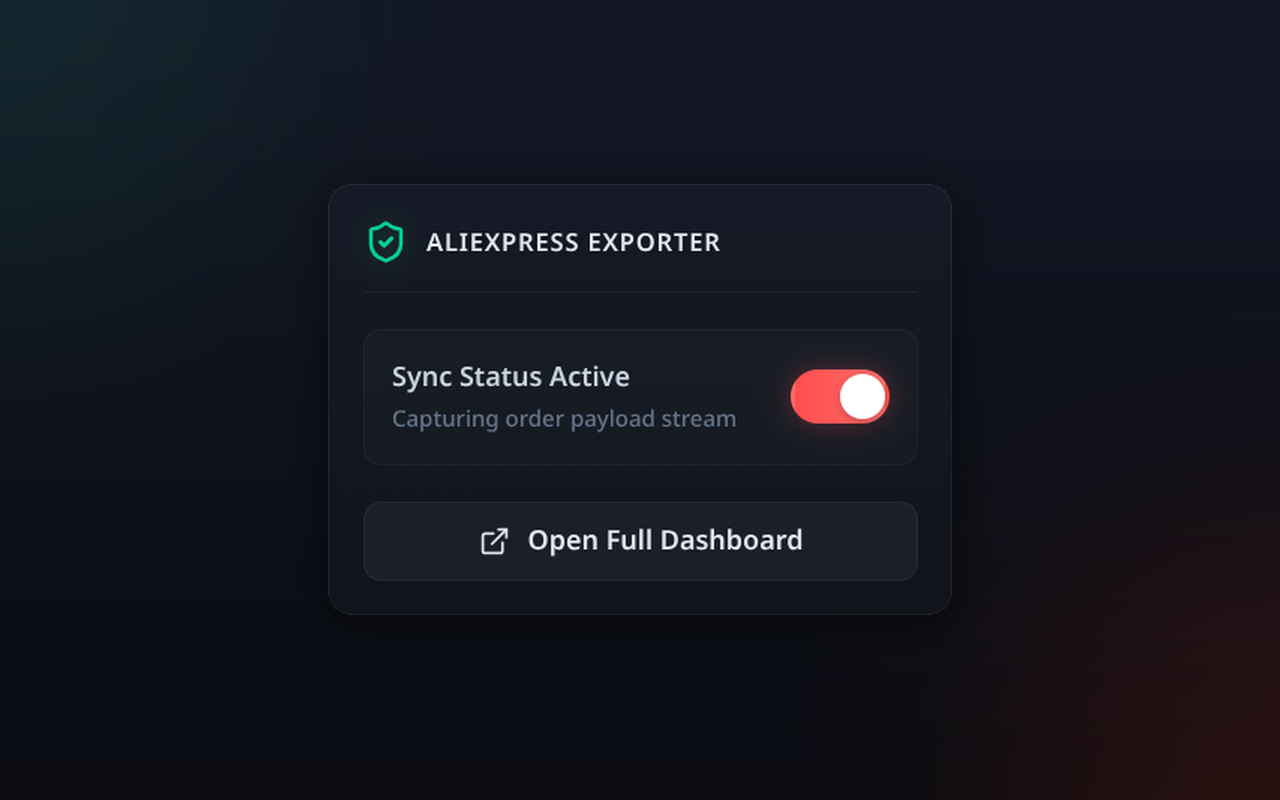
Opt-in service worker alarms wake up on your schedule and fetch your latest order updates, active shipment tracking, and dispute statuses in background tabs.
Logistics Hub & Tracking
Track shipment stages in real time, consolidate companion packages with delivery speed comparisons, and analyze carrier performance benchmarks.
Buyer Protection Watchdog
Proactive countdown alerts before buyer protection windows expire on stuck orders, with customizable thresholds and 1-click dispute links.
Analytics Overview Dashboard
Keep tabs on your shopping habits. View key metrics like total spending, order counts, average order value, monthly trend charts, and top stores categorized by product tags.
Savings from Coins & Coupons
See how much coins, AliExpress coupons and store coupons took off your orders, with an optional one-time fetch of each order's price details and savings columns in exports.
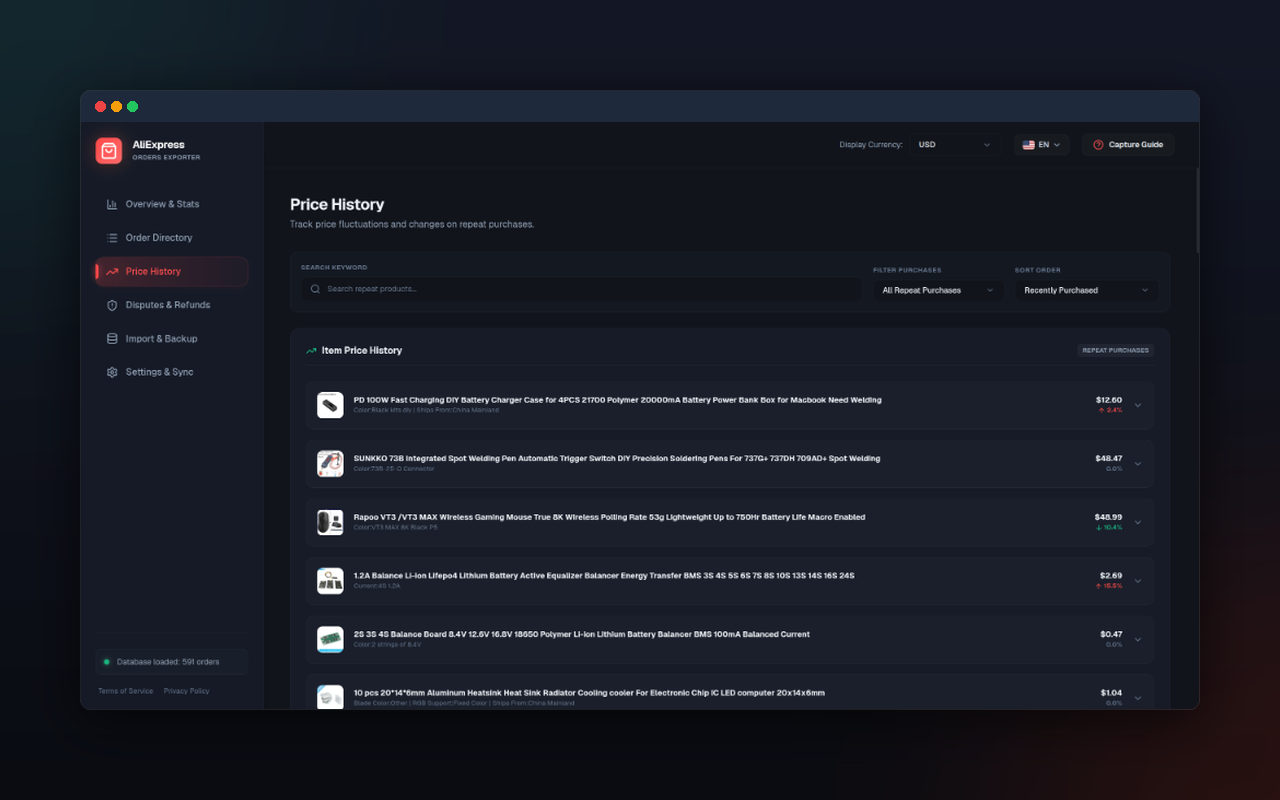
Item Price History Tracking
Track price fluctuations on repeat purchases and specific products over time with interactive SVG trend line charts, average unit prices, and percentage change indicators.
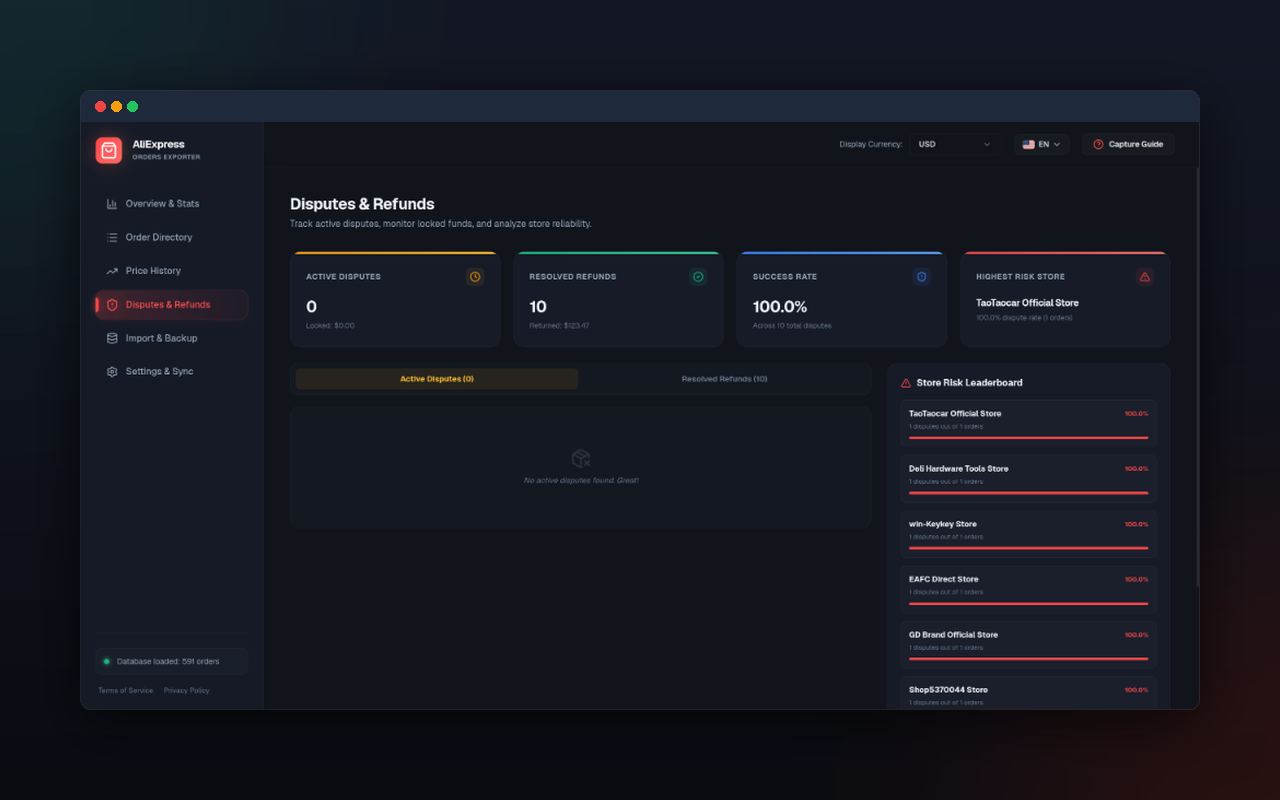
Disputes & Refunds Analytics
Dedicated dispute tracker calculating your overall refund success rate, total locked funds in open disputes, and ranking store dispute frequency.
Multi-Currency & Live Rates
Converts and normalizes your complete spending history into your preferred display currency (USD, EUR, PLN, CNY, UAH, etc.) with automatic real-time exchange rates.
Printable PDF Invoice Generation
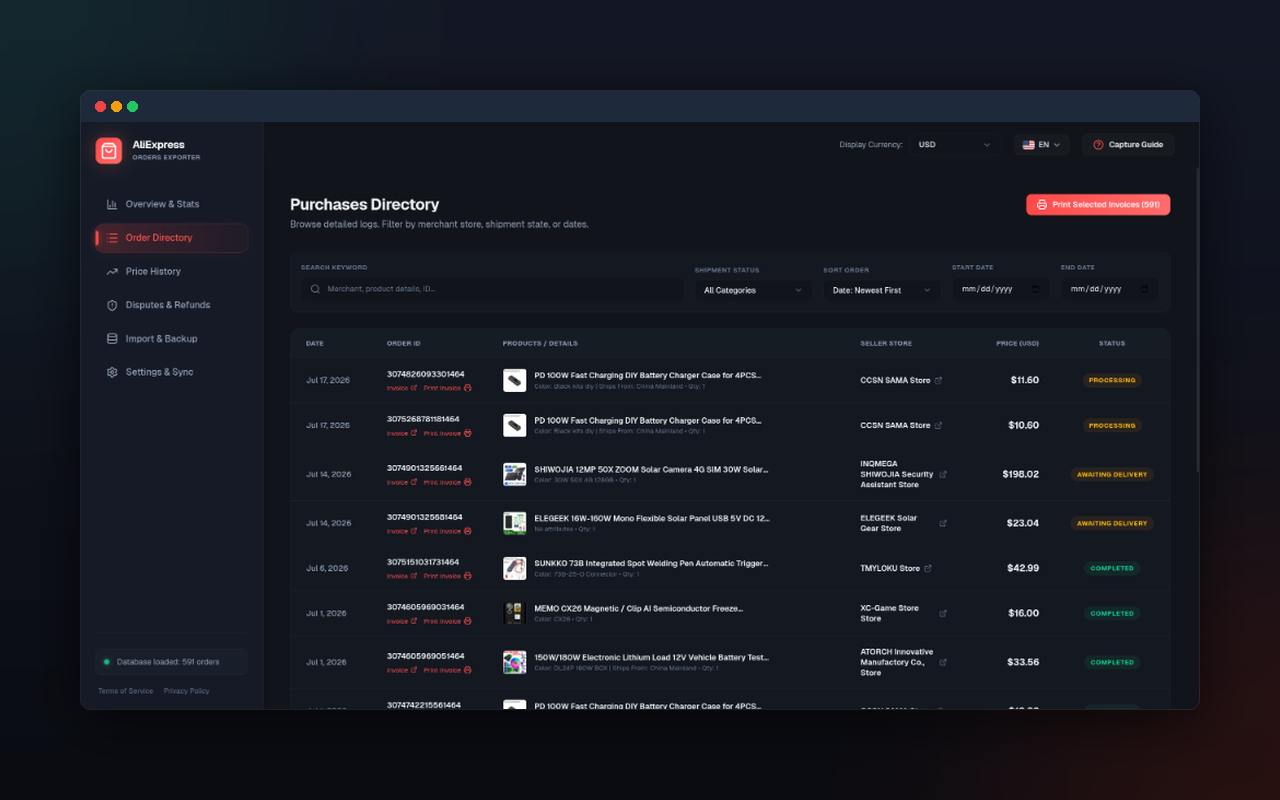
Instantly compile clean, professional, print-ready PDF invoices for any purchase. Supports custom billing details to facilitate corporate accounting and tax write-offs.
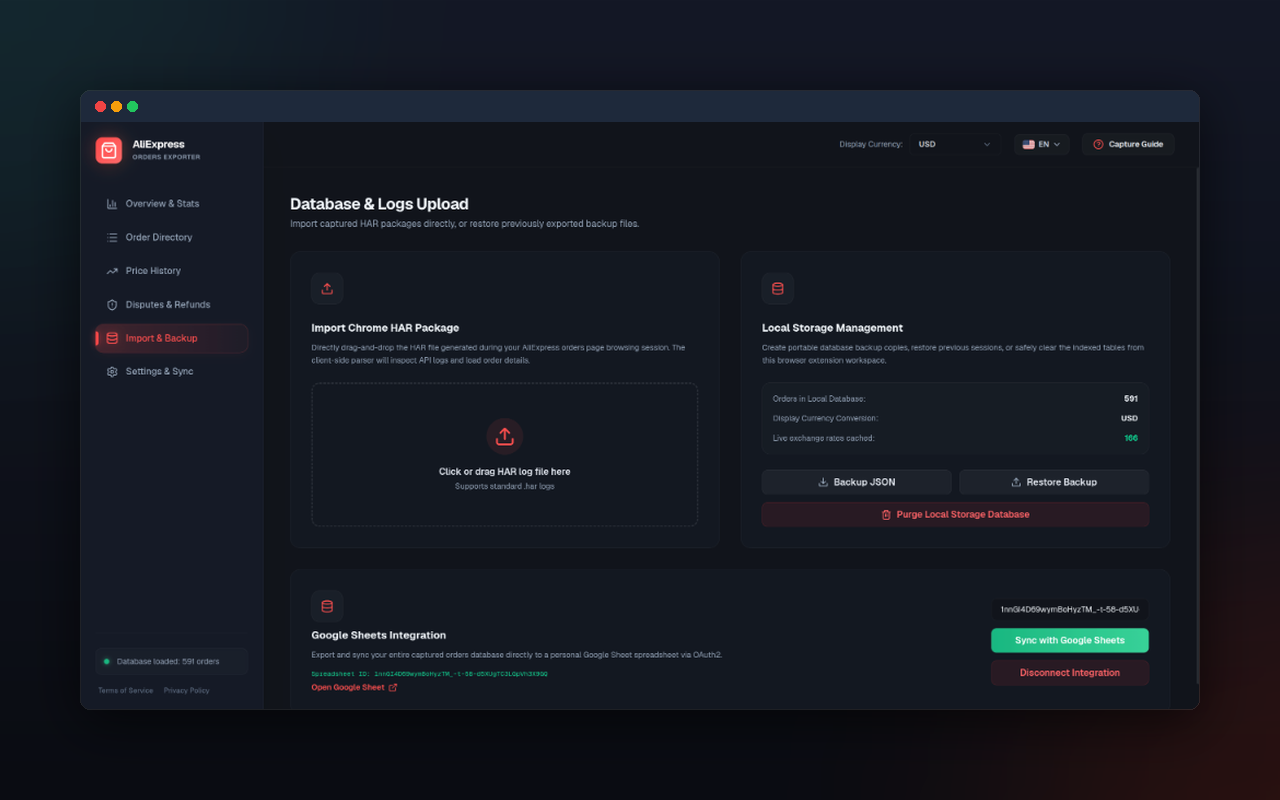
Google Sheets OAuth Sync
Optional secure sync with your personal Google Drive using Google Sheets API. Export order subsets directly to Google Drive with one click, with permanent drive deletion on disconnect.
Database Backup & Restore
Full IndexedDB database backup to a JSON file and restore, to move your purchase history between browsers or keep it safe.
100% Private & Local Storage
Runs locally inside your browser's IndexedDB database. Your order records are never sent to us or sold, and reach Google only if you connect Google Sheets.
Google Cloud API Disclosure & Data Security
To support manual verification by the Google Cloud Platform Trust & Safety team, we explicitly detail how the AliExpress Orders Exporter extension interacts with the Google Sheets API.
Why is Google OAuth2 Required?
The extension requires the minimal, non-sensitive https://www.googleapis.com/auth/drive.file scope to dynamically create spreadsheet files in your Google Drive and write your order details (such as dates, store names, and total amounts) to them. This integration is completely optional and user-triggered.
How is Your OAuth Token Handled?
Sign-in happens between Google and Chrome's identity service, which issues and caches the access token; the extension never writes it to its own storage. The extension developers never transmit, receive, or store your tokens or spreadsheet contents on any servers.
Security Assurances
- Signing out from the extension revokes the token with Google and removes it from Chrome's cache.
- When removing the Google Sheets link, you have the option to permanently delete the generated spreadsheet from your Google Drive folder directly.
- Your purchases and transaction histories are never evaluated for advertisement profiling or credit analysis.
Ready to export your history?
Download the AliExpress Orders Exporter extension today and get instant visibility into your purchase records.